 -
-Sorting through legal forms can feel overwhelming for any American small business owner trying to protect assets, manage taxes, and keep day-to-day tasks running smoothly. The legal structure you pick impacts registration steps, tax filings, and how much personal risk you face if something goes wrong. Understanding how each business legal form affects your operations helps you avoid costly mistakes and builds a strong foundation for future growth.
Table of Contents
- Step 1: Assess Legal Form Needs for Your Business
- Step 2: Gather and Digitize Relevant Legal Documents
- Step 3: Sort Legal Forms by Category and Importance
- Step 4: Create a Simple Digital Filing System
- Step 5: Review and Update Legal Documents Regularly
Quick Summary
| Key Message | Explanation |
|---|---|
| 1. Assess Your Legal Structure Needs | Understanding each business legal form helps you choose wisely to align with your personal liability and tax priorities. |
| 2. Organize Legal Documents Digitally | Collect and digitize all relevant documents for easy access and long-term maintenance, reducing the risk of loss. |
| 3. Categorize Legal Forms for Quick Access | Sort documents by category and importance to streamline your operational efficiency and document management processes. |
| 4. Establish a Digital Filing System | Create a clear folder structure with descriptive names to make finding documents quick and easy, improving overall document usability. |
| 5. Schedule Regular Document Reviews | Conduct quarterly and annual assessments of your documents to ensure compliance with changing laws and evolving business needs. |
Step 1: Assess Legal Form Needs for Your Business
Before you choose a legal structure for your business, you need to understand what each option actually means for your day-to-day operations and wallet. Your choice of business legal form affects everything from how you file taxes to whether your personal assets are protected if something goes wrong. The good news? Taking time to assess your specific needs now saves you headaches (and money) later.
Start by asking yourself some straightforward questions about your situation. Do you plan to run this solo, or will you have partners? How much personal liability protection do you need? Are you concerned about minimizing taxes, or is simplicity your priority? Different structures serve different purposes. A sole proprietorship works great if you’re flying solo and want minimal paperwork. A partnership makes sense if you’re bringing in co-owners. An LLC offers personal liability protection without the complexity of a corporation. A corporation or S corporation structure comes into play when you want maximum liability protection or have multiple investors. The Small Business Administration recommends understanding how each form impacts your business before you commit to one.
Next, think about your growth trajectory and long-term vision. If you’re starting small and might expand later, pick a structure that can grow with you without constant restructuring. If you need investor capital down the road, certain structures look more attractive to funding sources. Consider how each option affects your taxes too, because this matters significantly. Some structures allow pass-through taxation where profits flow to your personal return, while others create a separate tax entity. You might also want to check local requirements since some structures have different registration fees or compliance obligations depending on your state.
Pro tip: Write down your top three concerns about starting your business (liability, taxes, complexity, growth, etc.), then use that list to compare structures since no single form is best for everyone.’s priorities differ based on their specific situation.
Here’s a quick comparison of common business legal structures and how they impact your operations:
| Legal Structure | Liability Protection | Taxation Method | Setup Complexity |
|---|---|---|---|
| Sole Proprietorship | No personal protection | Personal tax return | Very simple |
| Partnership | Shared protection | Pass-through to partners | Moderate |
| LLC | Strong protection | Pass-through or corporate | Simple to moderate |
| Corporation | Maximum protection | Corporate taxes | Most complex |
Step 2: Gather and Digitize Relevant Legal Documents
Once you’ve settled on your business structure, it’s time to collect and organize all the legal documents you’ll need to operate smoothly. This step involves pulling together existing paperwork, creating new forms, and converting everything into digital formats so you can access them anytime, anywhere without hunting through filing cabinets.
Start by making a comprehensive list of what you actually need. Your list should include formation documents (articles of incorporation or organization depending on your structure), operating agreements, employee contracts, liability waivers, confidentiality agreements, vendor agreements, client contracts, and financial forms. Don’t forget tax documents and records that prove your business registration. Once you know what you need, gather everything you already have in paper form. Dig through old files, email archives, and storage boxes to collect originals or copies. For documents you don’t have yet, you can find customizable templates through online legal document platforms that let you create exactly what your business needs.

When it comes to digitization itself, follow a straightforward process. Scan each document using a quality scanner or smartphone app that captures clear, readable images. Save files with descriptive names (not “Document1” or “Scan47”) so you actually know what each one contains six months from now. Store digital versions in organized folders by category like contracts, tax forms, and employee records. Following quality management practices for digital records ensures your digital versions maintain legal integrity and remain usable long term. Back up everything to cloud storage or an external drive so you don’t lose critical documents to a computer crash.
Pro tip: Create a master spreadsheet listing all your legal documents, their purpose, expiration dates, and file locations so you have one central reference point instead of hunting through folders when you need something quickly.
Step 3: Sort Legal Forms by Category and Importance
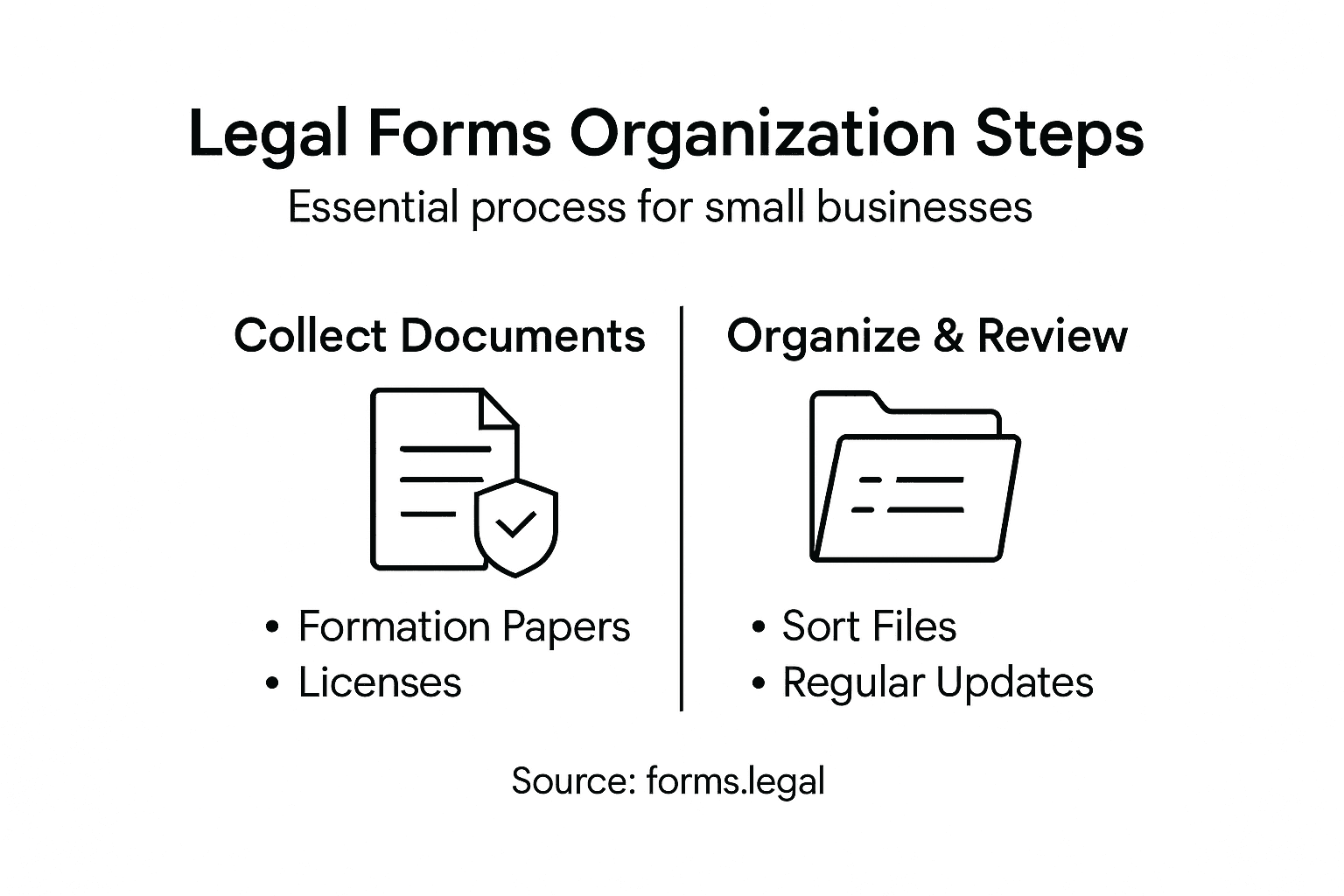
Now that you have your documents gathered and digitized, the real organization begins. Sorting your legal forms by category and importance creates a system where you can find what you need instantly and know which documents require your immediate attention. This step transforms a pile of paperwork into a strategic asset for your business.
Start by thinking about the natural groupings within your business operations. Formation and structure documents come first since they establish what your business legally is. These include articles of incorporation, operating agreements, and business registration certificates. Next comes operational documents like employee handbooks, confidentiality agreements, and standard contracts you use regularly with clients or vendors. Financial documents form another category including loan agreements, accounting records, and tax forms. Then organize compliance materials like licenses, permits, and any industry specific regulatory forms. Understanding how different business structures affect filing requirements helps you know which forms matter most to your specific situation. Within each category, prioritize by how often you reference them and how critical they are to daily operations. Documents you use weekly should be easily accessible, while annual tax forms can live in a separate archive section.
Once you have your categories mapped out, create a physical or digital filing system that matches them. Use clear folder names that describe what’s inside. If you’re digital, consider color coding or tagging documents so you can search by importance level. Some small business owners use a priority system where critical documents appear in one location, frequently used forms in another, and reference materials elsewhere. When organizing your forms by category, consistency matters more than perfection. Whatever system you choose, stick with it so you develop muscle memory about where things live.
Pro tip: Create a quick reference document that lists which forms you need for common situations like hiring an employee, bringing on a client, or handling a dispute, so you don’t waste time hunting when you’re already under pressure.
Below is a summary of major legal document categories and why each matters for small businesses:
| Category | Typical Documents | Why It Matters |
|---|---|---|
| Formation | Articles, bylaws | Defines the business legally |
| Operations | Agreements, contracts | Guides day-to-day decisions |
| Financial | Tax forms, loan docs | Tracks money and compliance |
| Compliance | Licenses, permits | Meets state and federal rules |
Step 4: Create a Simple Digital Filing System
A digital filing system transforms scattered documents into an organized, searchable resource that saves you time and stress. By establishing clear naming conventions and folder structures, you’ll know exactly where every legal form lives and can retrieve it in seconds without digging through stacks of files.
Begin by choosing where your system will live. Cloud storage services like Google Drive, Dropbox, or OneDrive work well because they sync across devices and include automatic backup. If your business handles highly sensitive documents, you might prefer a local external hard drive with its own backup system. Once you’ve picked your location, create your main folder structure that mirrors the categories you established earlier. Your top level folders might be Formation Documents, Operational Agreements, Financial Records, Compliance Materials, and Employee Files. Within each folder, create subfolders for more specific groupings. Under Operational Agreements, for example, you could have Client Contracts, Vendor Agreements, and Service Terms. Keep the structure logical but not overly complicated. Most business owners do best with two to three levels of folders maximum because deeper hierarchies become hard to navigate. When naming individual files, follow naming conventions that include descriptive information and dates so you can identify documents at a glance. Instead of calling something “Contract Final”, use “ClientName ServiceAgreement 2024 01 15” so the date and context are immediately clear.
Next, establish document control practices that keep your system functional over time. Create a simple metadata system where you tag documents by type, date created, and importance level. This makes searching easier when you need to find all contracts from a specific vendor or all 2024 tax documents. Set a schedule for reviewing your digital filing system quarterly to delete obsolete versions and ensure everything remains current. Consistent digital record management practices prevent duplicate files and confusion about which version is official. Store original signed documents in a protected folder separate from working drafts so everyone knows which version carries legal weight.
Pro tip: Create a master index document or spreadsheet that lists every folder and subfolder in your system with a brief description of what lives there, then share it with anyone on your team who needs to access documents so everyone follows the same logic.
Step 5: Review and Update Legal Documents Regularly
Your legal documents are not set-it-and-forget-it assets. Laws change, your business evolves, and what worked perfectly two years ago might no longer protect you or reflect your current situation. Regular review and updates keep your documents relevant, legally sound, and aligned with how your business actually operates.
Schedule quarterly reviews of your core legal documents to catch issues before they become problems. Start with documents you use frequently like client contracts, service agreements, and employee policies. Ask yourself whether each document still reflects your current business practices and whether any laws have changed that affect its validity. For example, employment laws shift regularly regarding minimum wage, remote work, and benefits requirements, so your employee handbook and hiring contracts need updating accordingly. Your business might also have changed significantly since you created initial documents. If you started solo and now have employees, or if you’ve expanded your service offerings, existing contracts likely need modification. Updating documents to reflect changing circumstances prevents gaps in protection and ensures everything remains legally enforceable.
Beyond quarterly spot checks, conduct a comprehensive review annually where you pull all legal documents and assess them holistically. Look for outdated contact information, references to old policies, and language that no longer makes sense given how your business operates now. Check whether state and federal regulations have introduced new compliance requirements affecting your industry. Many small business owners underestimate how much regulations can shift in a single year. Set a specific date each year like January 15 or your business anniversary so the review becomes routine rather than something you perpetually postpone. Keep detailed notes about what you reviewed and what changes you made. Establishing systematic review processes ensures documents remain compliant and effective over time, protecting your business from unnecessary risk.
Pro tip: Set calendar reminders for your quarterly reviews now so you don’t wait until a problem forces the issue, and keep a simple log of what you reviewed and updated so you can track which documents are current and which need attention.
Simplify Your Legal Forms Organization with Expert Templates
Organizing and maintaining your small business legal documents can feel overwhelming. The article highlights challenges like choosing the right legal structure, gathering documents, digitizing them, and keeping everything up to date. Managing categories such as formation papers, contracts, and compliance forms demands clarity and ongoing attention. If complexity, time constraints, or fear of missing key updates hold you back from creating a solid filing system, you are not alone.
forms.legal understands these pain points and offers a simple solution. Our platform provides attorney-crafted, customizable legal documents and contracts designed specifically for small businesses. Whether you need operating agreements, partnership contracts, or employee forms, you can quickly personalize and download them without complicated legal jargon or costly consultations. This makes building your digital filing system straightforward while ensuring you have current, legally sound forms at your fingertips.
Discover how easy it is to streamline your legal paperwork. Visit forms.legal now to access a wide variety of business legal documents tailored to your needs. Stop stressing over document chaos and start protecting your business today with trusted templates ready for immediate use.
Frequently Asked Questions
What legal forms should I consider for my small business?
Choosing the right legal form depends on your specific needs, such as personal liability protection and tax implications. Common options include sole proprietorships, partnerships, LLCs, and corporations; evaluate each based on how they align with your business goals.
How can I effectively organize my legal documents once I have them?
Create a structured digital filing system that categorizes documents by type, such as formation, operations, financial, and compliance materials. Use clear folder names and maintain a simple hierarchy so you can easily locate files when needed.
How often should I review and update my legal documents?
Schedule quarterly reviews for frequently used documents and conduct a comprehensive annual review to ensure compliance with current laws and regulations. This practice helps keep your business protected and ensures all information is up to date.
What should I include in my legal document organization checklist?
Your checklist should cover essential documents such as articles of incorporation, operating agreements, employee contracts, vendor agreements, and tax forms. Make sure you also include a plan for digitization and a regular review schedule to maintain organization.
How do I digitize my legal documents without losing their integrity?
Use a quality scanner or smartphone app to convert your documents into digital formats, ensuring clear and readable files. Properly name and categorize each file to maintain a well-organized digital filing system that reflects your physical document structure.
What are the main benefits of having a well-organized legal document system?
A well-organized legal document system streamlines access to critical information, reduces the risk of lost files, and simplifies compliance with legal requirements. This can save you time, decrease stress during audits or legal reviews, and help you maintain focus on core business activities.